Table of Contents
Some refactoring needs judgement: deciding where business logic belongs, or how to split a fat controller. But a lot of it is mechanical: adding return types, removing dead code, replacing deprecated calls, updating syntax for a new framework version. That mechanical part is exactly what Rector automates.
This guide sets up Rector Laravel support from scratch: installing the rector-laravel extension, writing a safe first config, increasing strictness gradually, using it for Laravel version upgrades, and running it in CI.
New to refactoring Laravel code? Start with our Laravel refactoring guide, which covers the judgement-based changes Rector can’t make for you.
What Is Rector (and What Does Rector Laravel Add)?
Rector is a command-line tool that reads your PHP code, applies rules (“add a bool return type when a method always returns a boolean”, “remove unused private methods”), and rewrites the files. It never runs your code; it analyses and transforms the source.
On its own, Rector knows PHP. The rector-laravel package adds Laravel-specific rules, for example:
- Replacing facade aliases like
\Cache::get()with the fullIlluminate\Support\Facades\Cacheclass - Turning Eloquent magic static calls such as
User::where(...)into explicitUser::query()->where(...) - Updating code for changes between Laravel versions, such as the
LARAVEL_130set for moving from Laravel 12 to 13
Step 1: Install Rector for Laravel
Every Rector Laravel setup needs two packages, installed as dev dependencies:
composer require --dev rector/rector driftingly/rector-laravelBefore you run anything, commit your work. Rector edits files in place. A clean Git working tree means every change Rector makes shows up as a reviewable diff, and you can throw it away with git checkout . if you don’t like it.
Step 2: Create a Safe First rector.php
Create rector.php in your project root. A safe Rector Laravel config starts deliberately small:
<?php

use Rector\Config\RectorConfig;

return RectorConfig::configure()
    ->withPaths([
        __DIR__ . '/app',
        __DIR__ . '/config',
        __DIR__ . '/database',
        __DIR__ . '/routes',
        __DIR__ . '/tests',
    ])
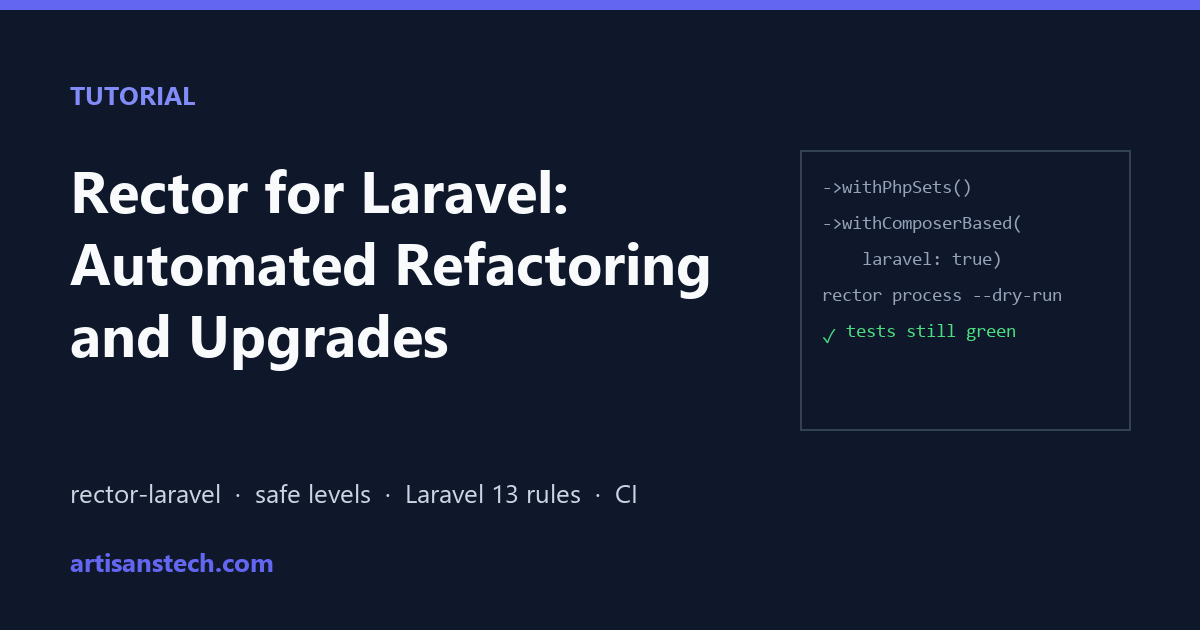
    ->withPhpSets()
    ->withComposerBased(laravel: true)
    ->withTypeCoverageLevel(0)
    ->withDeadCodeLevel(0)
    ->withCodeQualityLevel(0);
What each line does:
withPaths(): only these folders are processed. Never includevendor,storageorbootstrap/cache.withPhpSets(): with no arguments, reads your PHP version fromcomposer.jsonand modernises syntax up to that version.withComposerBased(laravel: true): the recommended Rector Laravel setup. It checks which Laravel version you have installed and applies the matching Laravel rule sets automatically.- The three
Level(0)methods: enable the first, safest rule from each category. You’ll raise these over time.
Step 3: Preview, Then Apply
With Rector Laravel, always do a dry run first. It prints a diff of what would change, without touching any files:
vendor/bin/rector process --dry-runRead through the diff. When you’re happy, apply it:
vendor/bin/rector processThen run your test suite and your code formatter:
php artisan test
vendor/bin/pint
Running Pint after Rector matters. Rector’s output is valid PHP but doesn’t always match your code style; Pint fixes the formatting so your diff only shows real changes.
Step 4: Raise the Levels One at a Time
The Rector docs recommend starting small and raising one level at a time, so each pull request stays easy to review (Rector levels). A practical routine:
- Bump one level by 1, for example
->withTypeCoverageLevel(1). - Run the dry run, review, apply, run tests and Pint.
- Commit with a message such as “Rector: type coverage level 1”.
- Repeat.
Here’s the kind of change these levels produce. Before:
public function isAdmin($user)
{
    if ($user->role === 'admin') {
        return true;
    }

    return false;
}
After the code-quality and type-coverage rules run:
public function isAdmin($user): bool
{
    return $user->role === 'admin';
}
Small on its own, but across hundreds of files it adds up to cleaner, better-typed code with no manual effort.
Once a level reaches the end of its rules, you can switch to the full prepared sets instead, for example ->withPreparedSets(deadCode: true, codeQuality: true, typeDeclarations: true).
Step 5: Add Laravel-Specific Rule Sets
withComposerBased(laravel: true) handles version-related rules. You can also opt in to Laravel style and quality sets explicitly:
use RectorLaravel\Set\LaravelSetList;

return RectorConfig::configure()
    // ...paths and levels from above
    ->withComposerBased(laravel: true)
    ->withSets([
        LaravelSetList::LARAVEL_CODE_QUALITY,
        LaravelSetList::LARAVEL_COLLECTION,
        LaravelSetList::LARAVEL_FACADE_ALIASES_TO_FULL_NAMES,
        LaravelSetList::LARAVEL_ELOQUENT_MAGIC_METHOD_TO_QUERY_BUILDER,
    ]);
A few of the sets available in rector-laravel:
| Set | What it does |
|---|---|
LARAVEL_CODE_QUALITY | General Laravel code-quality improvements |
LARAVEL_COLLECTION | Cleaner collection method usage |
LARAVEL_FACADE_ALIASES_TO_FULL_NAMES | \Cache:: → Illuminate\Support\Facades\Cache:: |
LARAVEL_ELOQUENT_MAGIC_METHOD_TO_QUERY_BUILDER | User::where() → User::query()->where() |
LARAVEL_TYPE_DECLARATIONS | Adds types where Laravel conventions make them clear |
LARAVEL_TESTING | Modernises test code |
LARAVEL_FACTORIES | Updates model factory code |
Add these one at a time, like the levels. Some are about style preference (for example, whether you like User::query()->where()), so pick the ones that fit your team.
Using Rector Laravel for Version Upgrades
This is where Rector saves the most time. For a major version upgrade, such as Laravel 12 to 13:
- Create a branch and bump
laravel/frameworkincomposer.json. - Run
composer updateso the new version is installed. - Run
vendor/bin/rector process --dry-run. WithwithComposerBased(laravel: true), Rector sees the new installed version and applies its upgrade rules (the rules inLaravelSetList::LARAVEL_130cover the 12 → 13 changes). - Apply, run tests, and fix anything Rector couldn’t handle automatically.
Rector won’t catch everything in an upgrade. Behaviour changes, package compatibility and config changes still need the official upgrade guide. Our Laravel 13 upgrade guide walks through a real upgrade, including a DB::raw() issue a type check caught.
Run Rector in CI
To stop un-refactored code creeping back in, run your Rector Laravel config as a dry run in CI. With --dry-run, Rector exits with an error code when it finds something to change, which fails the build. A GitHub Actions job:
name: rector

on: [pull_request]

jobs:
  rector:
    runs-on: ubuntu-latest
    steps:
      - uses: actions/checkout@v4
      - uses: shivammathur/setup-php@v2
        with:
          php-version: '8.4'
      - run: composer install --no-interaction --prefer-dist
      - run: vendor/bin/rector process --dry-run
Developers then run vendor/bin/rector process locally before pushing.
Common Rector Laravel Problems (and Fixes)
These are the issues developers most often hit with a new Rector Laravel setup.
Rector changes code style everywhere
Rector focuses on structure, not formatting. Run Pint (or PHP-CS-Fixer) immediately after Rector, and commit them together, so the diff shows only meaningful changes.
Wrong types on Eloquent magic properties
Rector infers types from your code, and Laravel’s magic (dynamic model attributes, facades, macros) can hide real types. Review type-related changes on models carefully, and consider adding @property docblocks or Larastan so tools see accurate types.
A rule changes something it shouldn’t
Skip that rule, or a whole path, with withSkip():
->withSkip([
    __DIR__ . '/app/Legacy',
    \Rector\CodeQuality\Rector\If_\SimplifyIfReturnBoolRector::class,
])
The rule’s class name appears in the dry-run output next to each change.
Huge diff on the first run
You enabled too much at once. Go back to level 0, apply rule sets one at a time, and keep each pull request reviewable. Big-bang Rector runs are hard to review and easy to get wrong.
Rector seems to ignore your config changes
Rector caches results between runs. Clear it with:
vendor/bin/rector process --dry-run --clear-cacheRector vs Larastan vs Pint
They work best together:
| Tool | Job | Changes code? |
|---|---|---|
| Rector | Automated refactoring and upgrades | Yes |
| Larastan | Static analysis: finds bugs and type errors | No, it only reports |
| Pint | Code style formatting | Yes, formatting only |
A good order in CI is Rector (dry run) → Pint (test mode) → Larastan → tests.
FAQ
Is Rector safe to use on a production Laravel app?
Yes, if you work in small steps: commit first, dry run, review the diff, run your tests and only then merge. Rector changes source code; it never touches your database or running app.
What is the difference between rector/rector and driftingly/rector-laravel?
rector/rector is the core tool with general PHP rules. driftingly/rector-laravel is a community extension that adds Laravel-specific rules and version-upgrade sets. A Rector Laravel setup needs both.
Can Rector upgrade Laravel automatically?
It handles much of the code-level work. With withComposerBased(laravel: true), it applies the upgrade rules for your installed Laravel version, but you still need to update dependencies, follow the official upgrade guide for behaviour changes, and run your tests.
How is Rector different from refactoring by hand?
Rector is ideal for repetitive, rule-based changes across many files. Design decisions, like extracting an Action class or adding database transactions, still need a developer. Our Laravel refactoring guide covers that side.
Does Rector work with Laravel 13?
Yes. rector-laravel includes a Laravel 13 set (LARAVEL_130) for the 12 → 13 changes, and withComposerBased(laravel: true) applies it automatically once Laravel 13 is installed.