Table of Contents
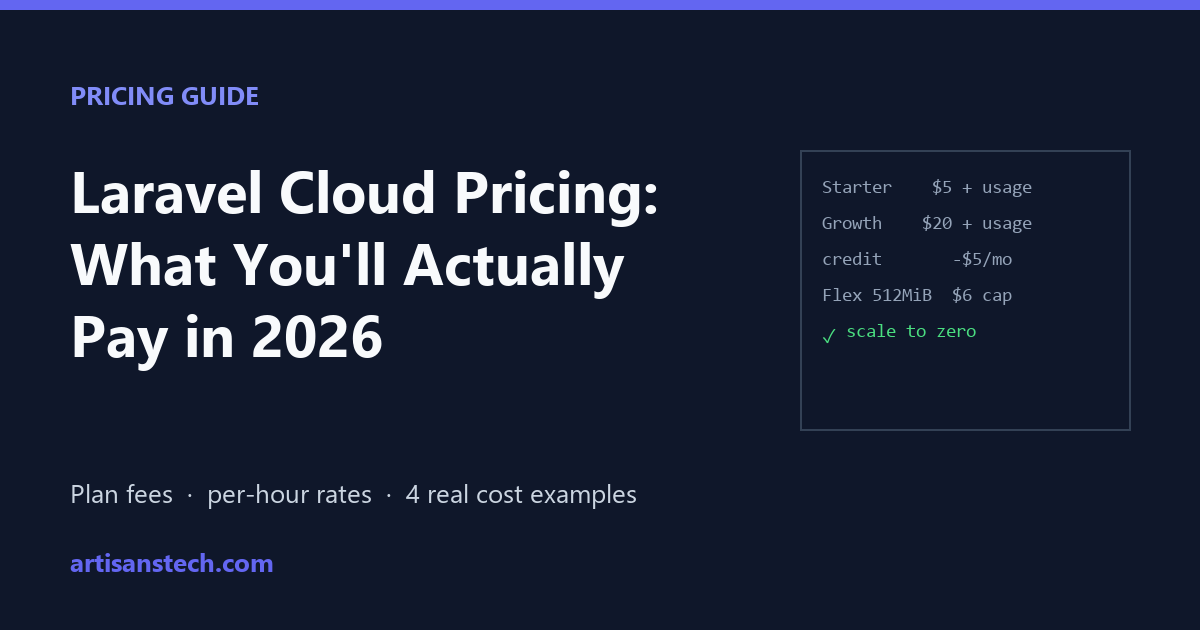
Laravel Cloud’s pricing page starts at “$5 per month”, but that’s only the plan fee. Your real bill is the plan fee plus usage: compute, database, cache, queues and bandwidth, each billed by the second. That makes Laravel Cloud pricing very cheap for some apps and surprisingly expensive for others.
This guide explains how the bill is calculated, lists the current per-resource rates, works through four real cost examples, and points out the settings that quietly push costs up.
All prices are from Laravel’s official pricing page and pricing docs (US East (Ohio) rates) as of November 2026. Rates vary slightly by region.
How Laravel Cloud Pricing Works
Laravel Cloud pricing has three parts. Your monthly cost is:
Plan fee + usage − $5 monthly credit
- Plan fee: Starter $5, Growth $20, Business $200 a month (Enterprise is custom).
- Usage: every resource is billed per second while it’s running.
- Credit: every paid plan includes $5 of usage credit per month, applied before you pay for usage. Unused credit doesn’t roll over.
- New Starter subscriptions get the first month free.
Two rules make the bill predictable:
- Always-on resources are capped at 28 days (672 hours) per billing period, so a full month of compute never costs more than its listed monthly cap.
- Scale to zero: Flex compute, Serverless Postgres, Flex MySQL and Flex Valkey can sleep when idle and wake in under a second. While asleep, you don’t pay for their compute.
Laravel Cloud Plans Compared
| Starter | Growth | Business | |
|---|---|---|---|
| Plan fee | $5/mo | $20/mo | $200/mo |
| Usage credit | $5/mo | $5/mo | $5/mo |
| Compute | Flex only (max 2 GiB) | Flex + Pro (up to 32 GiB) | Flex + Pro |
| Autoscaling | No (1 replica) | Up to 10 replicas | Unlimited + scheduled |
| Managed queues per environment | 1 | 10 | 50 |
| Serverless Postgres max | 1 CU | 4 CU | 10 CU |
| Preview environments | 1 app | Unlimited | Unlimited |
| Custom domains | 10 | 50 | 250 |
| Log retention | 1 day | 7 days | 30 days |
| WAF | No | Basic | Advanced |
The practical rule for Laravel Cloud pricing: Starter is enough for side projects, blogs and low-traffic apps. You need Growth as soon as you want Pro compute, more than one replica, or more than one managed queue.
Laravel Cloud Pricing Per Resource
App compute
Compute is the biggest line on most bills, and the core of Laravel Cloud pricing.
| Size | vCPU / RAM | Per hour | Monthly cap |
|---|---|---|---|
| Flex 512 MiB | 1 / 512 MiB | $0.00893 | $6 |
| Flex 1 GiB | 1 / 1 GiB | $0.01786 | $12 |
| Flex 2 GiB | 1 / 2 GiB | $0.03571 | $24 |
| Pro 4 GiB | 1 / 4 GiB | $0.04762 | $32 |
| Pro 8 GiB | 2 / 8 GiB | ~$0.095 | $64 |
| Pro 16 GiB | 4 / 16 GiB | ~$0.19 | $128 |
| Pro 32 GiB | 8 / 32 GiB | ~$0.38 | $256 |
Compute also earns free bandwidth: a Flex 1 GiB instance running all month earns 100 GB of data transfer. Beyond your allowance, bandwidth costs $0.10 per GB. Allowances are pooled across all environments in your organization.
Databases
| Resource | Compute | Storage |
|---|---|---|
| Serverless Postgres (Neon) | $0.106 per CU-hour while awake (0.25 CU = 0.25 vCPU / 1 GB RAM) | $0.50 per GB-month |
| Laravel MySQL Flex 2 GB | $0.03274/hour | $0.10 per GB-month |
| Laravel MySQL Pro 4 GB | $0.07143/hour | $0.10 per GB-month |
Database storage is billed all the time, even while the database sleeps. Only compute stops.
Cache, queues, storage and WebSockets
| Resource | Price |
|---|---|
| Laravel Valkey (Redis-compatible) | 250 MB $0.00893/hr · 1 GB $0.03571/hr · 2.5 GB $0.07143/hr |
| Managed queue workers | Flex 256 MiB $0.00548/hr · Flex 512 MiB $0.01096/hr, only while jobs are waiting |
| Managed queue operations | $1.00 per million |
| Object storage (Cloudflare R2) | $0.02 per GB-month, $0.005 per 1,000 writes, $0.0005 per 1,000 reads, free egress |
| Laravel Reverb (WebSockets) | From $5/mo (100 connections) to $200/mo (5,000 connections) |
| Extra custom domain | $0.25/month |
4 Real Laravel Cloud Cost Examples
These scenarios come from Laravel’s own pricing docs and show how Laravel Cloud pricing plays out for real apps. The usage totals there don’t include the plan fee or subtract the $5 credit, so the last column shows what you’d actually pay.
1. Side project (a few hours of use a month)
A small app used a few times a month, with compute and Postgres both scaling to zero.
| Line item | Monthly |
|---|---|
| Flex 512 MiB compute, 4 hours | $0.04 |
| Serverless Postgres compute (0.25 CU), 4 hours | $0.11 |
| Postgres storage, 0.5 GB | $0.25 |
| Usage | ~$0.40 |
| Your bill on Starter ($5 + $0.40 − $0.40 credit) | $5.00 |
2. Small blog or content site
A few thousand readers a month. Laravel Cloud’s edge cache serves most pages, so compute only wakes about 60 hours a month.
| Line item | Monthly |
|---|---|
| Flex 1 GiB compute, 60 hours | $1.07 |
| Serverless Postgres compute (0.25 CU), 60 hours | $1.59 |
| Postgres storage, 5 GB | $2.50 |
| Valkey 250 MB, 60 hours | $0.54 |
| Usage | ~$5.70 |
| Your bill on Starter ($5 + $5.70 − $5) | ~$5.70 |
3. Medium SaaS application
A few hundred users, quiet at nights and weekends, with a managed queue. It uses an autoscaled second replica, so it needs Growth.
| Line item | Monthly |
|---|---|
| Flex 2 GiB compute, primary (365 hours) | $13.04 |
| Flex 2 GiB compute, autoscaled replica (73 hours) | $2.61 |
| MySQL Flex 2 GB, always on (672 hours, capped) | $22.00 |
| MySQL storage, 20 GB | $2.00 |
| Valkey 1 GB, 365 hours | $13.04 |
| Managed queue workers (~40 worker-hours) | $0.22 |
| Managed queue operations (~1M) | $1.00 |
| Usage | ~$53.90 |
| Your bill on Growth ($20 + $53.90 − $5) | ~$68.90 |
4. High-traffic store or consumer SaaS
Three always-on Pro replicas and a busy managed queue.
| Line item | Monthly |
|---|---|
| Pro 4 GiB compute × 3 replicas, always on | $96.00 |
| MySQL Pro 4 GB, always on | $48.00 |
| MySQL storage, 40 GB | $4.00 |
| Valkey 2.5 GB, always on | $48.00 |
| Managed queue workers (~730 worker-hours) | $8.00 |
| Managed queue operations (~15.5M) | $15.50 |
| Usage | ~$219.50 |
| Your bill on Growth ($20 + $219.50 − $5) | ~$234.50 |
The pattern is clear: Laravel Cloud pricing is excellent for apps that sleep, and starts to look like regular hosting once everything runs around the clock.
Hidden Laravel Cloud Costs to Watch
The headline Laravel Cloud pricing assumes your app actually sleeps. These are the things that stop it.
Things that keep your app awake
Scale to zero only saves money if nothing wakes your app. Common culprits:
- Uptime monitors pinging a page every minute keep compute awake all month. Point them at a cached page, or check less often.
- Anything that queries the database resets Serverless Postgres’s sleep timer. Laravel’s docs are explicit: any query or transaction restarts the delay before the database scales to zero. A scheduled task that touches the database every minute means the database effectively never sleeps.
- Always-on workers. A traditional
queue:workprocess runs 24/7. Managed queues (which scale to zero when the queue is empty) are usually much cheaper for low-volume jobs.
Storage never sleeps
Database storage and backups are billed continuously. A large Postgres or MySQL database costs money even when the app gets no traffic.
Autoscaling multiplies everything
Each extra replica is billed like another instance. Set a sensible maximum replica count on Growth instead of leaving it at the highest value.
Redis by Upstash is being retired
If an older project uses Redis by Upstash on Laravel Cloud, note that it’s deprecated: new caches can’t be created, prices rise on November 30, 2026 (the 250 MB cache goes from $5 to $10 a month), and it shuts down on August 31, 2027. Laravel recommends moving to Laravel Valkey, which is Redis-compatible and billed per second.
How to Keep Your Laravel Cloud Bill Low
A few settings make the biggest difference to what Laravel Cloud pricing means for your app:
- Set a spending limit. Laravel Cloud sends alerts at 50%, 80%, 90% and 100%, and can pause compute when you hit the limit. Set this on day one.
- Turn on scale to zero for compute, Postgres and Valkey in any environment that can tolerate a sub-second wake-up, especially staging and preview environments.
- Use the edge cache for public pages so requests don’t wake compute at all.
- Use managed queues instead of always-on workers for occasional jobs.
- Put uploads in Laravel Object Storage (R2-based, free egress) rather than serving large files from compute, which uses your bandwidth allowance.
- Use the connection pooler for Postgres (append
-poolerto the host) if you run several replicas or workers, to avoid “too many clients” errors without upsizing the database.
Is Laravel Cloud Cheaper Than Forge or Render?
It depends on how much of the month your app is busy:
- Mostly idle or low traffic (side projects, internal tools, blogs): Laravel Cloud usually wins, often at just the $5 plan fee.
- Several always-on apps: a Forge-managed VPS ($12/month plus the server) is usually cheaper, because many apps share one server.
- Render: a Laravel app needs separate paid services for web and worker (from $7 each) plus a database, so it rarely beats Cloud for a small app. See how to deploy Laravel on Render for that setup.
The full side-by-side comparison is in Laravel Cloud vs Forge vs Render, and there’s background on the platform in our Laravel Cloud overview.
FAQ
Is Laravel Cloud free?
Not quite. There’s no free plan, but new Starter subscriptions get the first month free, and the $5 monthly usage credit covers all usage for very small apps. After the first month, the minimum Laravel Cloud cost is the $5 Starter fee.
How much does Laravel Cloud cost per month for a small app?
Under current Laravel Cloud pricing, a low-traffic app on Starter with scale to zero enabled typically costs $5–10 a month: the $5 plan fee plus any usage above the $5 credit.
Does Laravel Cloud charge when my app is asleep?
Not for compute. Flex compute and Serverless Postgres compute stop billing while asleep. Database storage, backups and always-on resources are still billed.
What’s the difference between Flex and Pro compute?
Flex is cheaper, can scale to zero, and suits low or bursty traffic; it’s the only option on Starter. Pro is for sustained production load, offers larger sizes, and requires the Growth plan or above.
Does Laravel Cloud support MySQL?
Yes. Laravel MySQL (Flex and Pro sizes) and Serverless Postgres are both available, plus Laravel Valkey for caching, sessions and queues.
Can I cap my Laravel Cloud bill?
Yes. Set a monthly spending limit; Laravel Cloud alerts you as you approach it and can pause compute when you reach it.