Table of Contents
Most Laravel apps don’t start messy. They get messy one “quick fix” at a time: a validation rule added inline, a discount calculation pasted into a controller, a Mail::send() dropped at the bottom of a method. A year later, OrderController@store is 150 lines long and nobody wants to touch it.
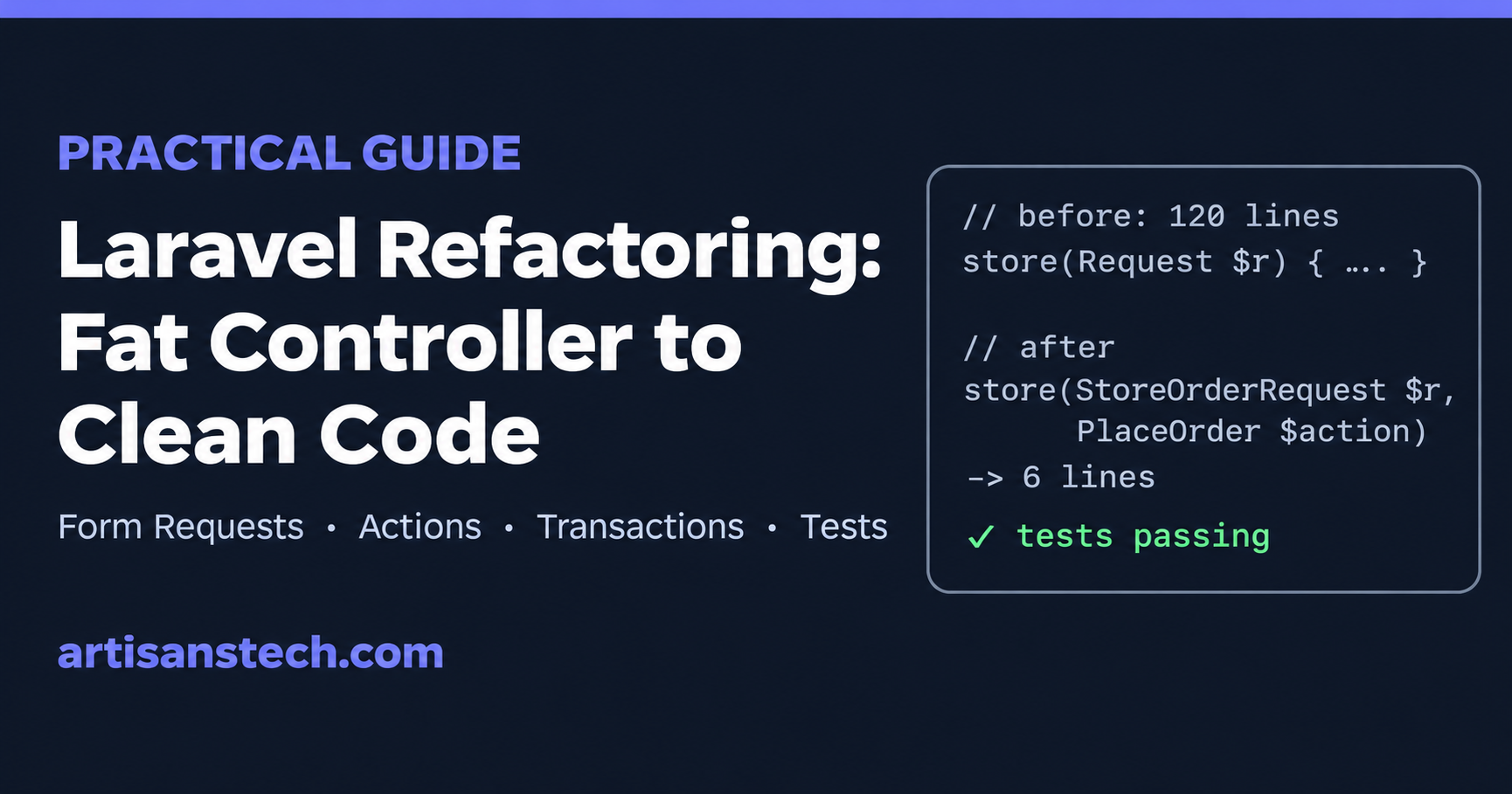
This guide walks through Laravel refactoring the way it works on a real codebase: protect behaviour with tests first, then move code in small, safe steps. Every step has before-and-after code you can adapt.
What Is Laravel Refactoring?
Laravel refactoring means changing the structure of your code without changing what it does. The routes return the same responses, the database ends up in the same state, the same emails go out. What changes is how easy the code is to read, test and extend.
That last part is the whole point. You refactor so the next feature is cheaper to build.
Signs a Laravel app needs refactoring:
- Controllers with more than 3-4 lines of logic per action
- The same validation rules copy-pasted across controllers
- Business rules (pricing, discounts, permissions) living inside Blade views or controllers
- Magic strings like
'pending'and'shipped'scattered everywhere - Pages that run 50+ queries because of lazy loading
- No tests, so every change feels risky
Step 1: Write Tests Before Refactoring Laravel Code
Never refactor without a safety net. If the code has no tests, write characterization tests first: tests that pin down what the code does today, even if today’s behaviour is a bit odd.
You don’t need 100% coverage. You need the endpoints you’re about to change covered. Here’s a Pest test for the order endpoint we’ll refactor below:
use App\Models\Product;
use App\Models\User;

it('places an order and decrements stock', function () {
    $user = User::factory()->create();
    $product = Product::factory()->create(['price' => 1000, 'stock' => 5]);

    $this->actingAs($user)
        ->post('/orders', [
            'items' => [['product_id' => $product->id, 'qty' => 2]],
        ])
        ->assertRedirect();

    expect($product->fresh()->stock)->toBe(3);

    $this->assertDatabaseHas('orders', [
        'user_id' => $user->id,
        'total'   => 2000,
    ]);
});

it('rejects an order when stock is too low', function () {
    $user = User::factory()->create();
    $product = Product::factory()->create(['stock' => 1]);

    $this->actingAs($user)
        ->post('/orders', [
            'items' => [['product_id' => $product->id, 'qty' => 2]],
        ])
        ->assertSessionHasErrors();

    expect($product->fresh()->stock)->toBe(1);
});
Run the suite, make sure it’s green, and commit. Every refactoring step after this ends with the same command:
php artisan testStep 2: The “Before” Code (a Typical Fat Controller)
Here’s the kind of controller this guide is about. It works, but it does validation, stock checks, pricing, persistence and email in one method:
class OrderController extends Controller
{
    public function store(Request $request)
    {
        $request->validate([
            'items' => 'required|array|min:1',
            'items.*.product_id' => 'required|exists:products,id',
            'items.*.qty' => 'required|integer|min:1',
            'coupon' => 'nullable|string',
        ]);

        $total = 0;
        foreach ($request->items as $item) {
            $product = Product::find($item['product_id']);
            if ($product->stock < $item['qty']) {
                return back()->withErrors(['items' => "{$product->name} is out of stock"]);
            }
            $total += $product->price * $item['qty'];
        }

        if ($request->coupon === 'WELCOME10') {
            $total = $total - ($total * 0.10);
        }

        $order = Order::create([
            'user_id' => auth()->id(),
            'total' => $total,
            'status' => 'pending',
        ]);

        foreach ($request->items as $item) {
            $product = Product::find($item['product_id']);
            $order->items()->create([
                'product_id' => $product->id,
                'qty' => $item['qty'],
                'price' => $product->price,
            ]);
            $product->decrement('stock', $item['qty']);
        }

        Mail::to($request->user())->send(new OrderPlaced($order));

        return redirect()->route('orders.show', $order);
    }
}
Problems hiding in there:
- Validation is inline, so it can’t be reused by an API controller.
- N+1 queries:
Product::find()runs once per item, twice. - No transaction: if the third item fails, the order exists with only two items and stock is half-decremented.
- Race condition: two customers can both pass the stock check for the last unit.
- Hard-coded coupon and status strings.
- Email is sent synchronously, so a slow mail server slows down checkout.
We’ll fix these one at a time.
Step 3: Move Validation into a Form Request
This is the safest first move in any Laravel refactoring. Generate a Form Request:
php artisan make:request StoreOrderRequestnamespace App\Http\Requests;
use Illuminate\Foundation\Http\FormRequest;
class StoreOrderRequest extends FormRequest
{
public function authorize(): bool
{
return $this->user() !== null;
}
public function rules(): array
{
return [
'items' => ['required', 'array', 'min:1'],
'items.*.product_id' => ['required', 'exists:products,id'],
'items.*.qty' => ['required', 'integer', 'min:1'],
'coupon' => ['nullable', 'string'],
];
}
}Change the controller signature to store(StoreOrderRequest $request), delete the inline validate() call, and run the tests. Nothing else changes.
Step 4: Replace Magic Strings with Enums
PHP backed enums give you autocomplete and stop typos like 'pendng' from reaching the database:
namespace App\Enums;

enum OrderStatus: string
{
    case Pending = 'pending';
    case Paid = 'paid';
    case Shipped = 'shipped';
    case Cancelled = 'cancelled';
}
Cast the column on the model so you always get an enum back:
class Order extends Model
{
    protected function casts(): array
    {
        return [
            'status' => OrderStatus::class,
        ];
    }
}
Now $order->status === OrderStatus::Pending replaces string comparisons everywhere.
Step 5: Extract the Business Logic into an Action
The core of most Laravel code refactoring is getting business logic out of the controller. An Action is a single class that does one thing, which makes it easy to call from a controller, an API endpoint, a queued job or an Artisan command.
namespace App\Actions;

use App\Enums\OrderStatus;
use App\Events\OrderPlaced;
use App\Models\Order;
use App\Models\Product;
use App\Models\User;
use Illuminate\Support\Facades\DB;
use Illuminate\Validation\ValidationException;

class PlaceOrder
{
    public function __construct(private ApplyCoupon $applyCoupon) {}

    /** @param array<int, array{product_id:int, qty:int}> $items */
    public function handle(User $user, array $items, ?string $coupon = null): Order
    {
        $order = DB::transaction(function () use ($user, $items, $coupon) {
            // One query for all products, locked until the transaction commits
            $products = Product::whereIn('id', array_column($items, 'product_id'))
                ->lockForUpdate()
                ->get()
                ->keyBy('id');

            $total = 0;
            foreach ($items as $item) {
                $product = $products[$item['product_id']];

                if ($product->stock < $item['qty']) {
                    throw ValidationException::withMessages([
                        'items' => "{$product->name} is out of stock",
                    ]);
                }

                $total += $product->price * $item['qty'];
            }

            $order = $user->orders()->create([
                'total' => $this->applyCoupon->handle($total, $coupon),
                'status' => OrderStatus::Pending,
            ]);

            foreach ($items as $item) {
                $product = $products[$item['product_id']];

                $order->items()->create([
                    'product_id' => $product->id,
                    'qty' => $item['qty'],
                    'price' => $product->price,
                ]);

                $product->decrement('stock', $item['qty']);
            }

            return $order;
        });

        OrderPlaced::dispatch($order);

        return $order;
    }
}
What this fixes in one move:
- N+1 is gone: one
whereInquery loads every product. DB::transaction()means a failure halfway rolls everything back.lockForUpdate()stops two checkouts from selling the same last unit.- Throwing a
ValidationExceptiongives the user the same error message as before, so your “out of stock” test still passes.
The coupon logic gets its own tiny action, so pricing rules live in one place:
namespace App\Actions;

class ApplyCoupon
{
    public function handle(int $total, ?string $coupon): int
    {
        return match ($coupon) {
            'WELCOME10' => (int) round($total * 0.9),
            default => $total,
        };
    }
}
Step 6: Move Side Effects to Events and Queued Listeners
The email doesn’t need to block checkout. The action dispatches an OrderPlaced event; a queued listener sends the mail:
namespace App\Listeners;

use App\Events\OrderPlaced;
use App\Mail\OrderConfirmation;
use Illuminate\Contracts\Queue\ShouldQueue;
use Illuminate\Support\Facades\Mail;

class SendOrderConfirmation implements ShouldQueue
{
    public function handle(OrderPlaced $event): void
    {
        Mail::to($event->order->user)->send(new OrderConfirmation($event->order));
    }
}
Laravel auto-discovers listeners in app/Listeners, so there’s nothing to register. Later, adding “notify the warehouse” or “update analytics” is a new listener, not another edit to checkout code.
Step 7: The “After” Controller
After the refactor, the controller only translates HTTP into a call and back:
class OrderController extends Controller
{
    public function store(StoreOrderRequest $request, PlaceOrder $placeOrder)
    {
        $order = $placeOrder->handle(
            $request->user(),
            $request->validated('items'),
            $request->validated('coupon'),
        );

        return redirect()->route('orders.show', $order);
    }
}
Run php artisan test. Same behaviour, but now the logic is reusable, transactional, race-safe and testable on its own.
Service Classes, Actions or Repositories?
These come up in every Laravel refactoring discussion. A practical rule of thumb:
| Pattern | Use it when | Skip it when |
|---|---|---|
Action (one class, one handle()) | A single use case: place order, cancel subscription, import CSV | The logic is one line; keep it on the model |
| Service class | Several related operations share state or a dependency, e.g. a PaymentGateway wrapping an SDK | It becomes a dumping ground of unrelated methods |
| Repository | You genuinely swap data sources, or wrap a complex external API | You’re just wrapping Eloquent. Product::where() behind ProductRepository::findWhere() adds a layer with no benefit |
| Model methods / scopes | Logic about one model’s own data: $order->isPaid(), scopeActive() | It needs other models or external services |
Eloquent is already a data-access layer, so for most apps Actions + model scopes cover 90% of cases.
Fix N+1 Queries While You Refactor
Lazy loading is the most common performance bug in Laravel apps. Make Laravel throw an exception for it in development, in AppServiceProvider::boot():
use Illuminate\Database\Eloquent\Model;

public function boot(): void
{
    Model::preventLazyLoading(! app()->isProduction());
}
Then fix each exception with eager loading:
// Before: 1 query for orders + 1 per order for the user
$orders = Order::latest()->paginate(20);

// After: 2 queries total
$orders = Order::with(['user', 'items.product'])->latest()->paginate(20);
If you want the stricter version (also catches silently discarded attributes and missing attributes), use Model::shouldBeStrict(! app()->isProduction());.
Tools That Automate Laravel Refactoring
You don’t have to do everything by hand.
Rector with the rector-laravel rules rewrites code automatically: modern syntax, Laravel helper upgrades and code-quality fixes.
composer require --dev rector/rector driftingly/rector-laravel// rector.php
use Rector\Config\RectorConfig;
use RectorLaravel\Set\LaravelSetList;
return RectorConfig::configure()
->withPaths([__DIR__ . '/app', __DIR__ . '/routes'])
->withSets([LaravelSetList::LARAVEL_CODE_QUALITY]);vendor/bin/rector process --dry-run # preview the diff first
vendor/bin/rector processLarastan (PHPStan for Laravel) finds bugs before you run the code: wrong types, missing methods, undefined relationships. Start at a low level and raise it over time:
composer require --dev larastan/larastan
vendor/bin/phpstan analyse app --level=5
Laravel Pint handles formatting so code reviews can focus on logic:
vendor/bin/pintAI assistants help too. They’re good at the mechanical parts (extracting a Form Request, writing the first draft of characterization tests), but review every change. We covered a full session in using Claude Code to refactor a Laravel controller, including the mistake it made.
Laravel Refactoring Best Practices
- One refactor per commit. “Extract Form Request” and “add transaction” are separate commits, so a bad change is easy to revert.
- Never mix refactoring with new features in the same pull request.
- Refactor the code you’re about to change, not the whole app. The best time to clean up
OrderControlleris right before adding a new checkout feature. - Keep behaviour identical. If you find a bug, write a failing test, fix it in a separate commit, then keep refactoring.
- Upgrade separately. If you’re also moving to a new Laravel version, do the upgrade as its own step, before or after the refactor, never mixed in.
Laravel Refactoring Checklist
Copy this into your pull request description:
- [ ] Characterization tests cover the code being changed, and pass before you start
- [ ] Inline validation moved to Form Requests
- [ ] Status and type strings replaced with backed enums and casts
- [ ] Business logic extracted to Actions (or a focused service)
- [ ] Multi-step writes wrapped in
DB::transaction() - [ ] Stock and balance updates use
lockForUpdate()or atomic updates - [ ] Side effects (mail, webhooks, notifications) moved to queued listeners or jobs
- [ ]
Model::preventLazyLoading()enabled locally and N+1 queries fixed - [ ] Rector dry run reviewed, Larastan passing at your chosen level, Pint applied
- [ ]
php artisan testgreen after every commit
FAQ
When should I refactor a Laravel application?
Right before you change a piece of code, or when a bug keeps coming back in the same area. Big-bang rewrites of a whole app rarely finish; small refactors attached to real work do.
Is the repository pattern needed in Laravel?
Usually not. Eloquent already abstracts the database. Repositories pay off when you have multiple data sources or a complex external API to hide, not as a default wrapper around every model.
Can I refactor Laravel code without tests?
You can, but you’re guessing. Even five feature tests on the endpoints you’re changing will catch most regressions, and Laravel makes them quick to write.
What’s the difference between an Action and a Service class?
An Action does one thing (PlaceOrder). A service groups related operations around a shared dependency (StripeBilling with charge(), refund(), createCustomer()). Pick whichever keeps each class small and named after what it does.
For more Laravel guides, browse the Laravel category.