Table of Contents
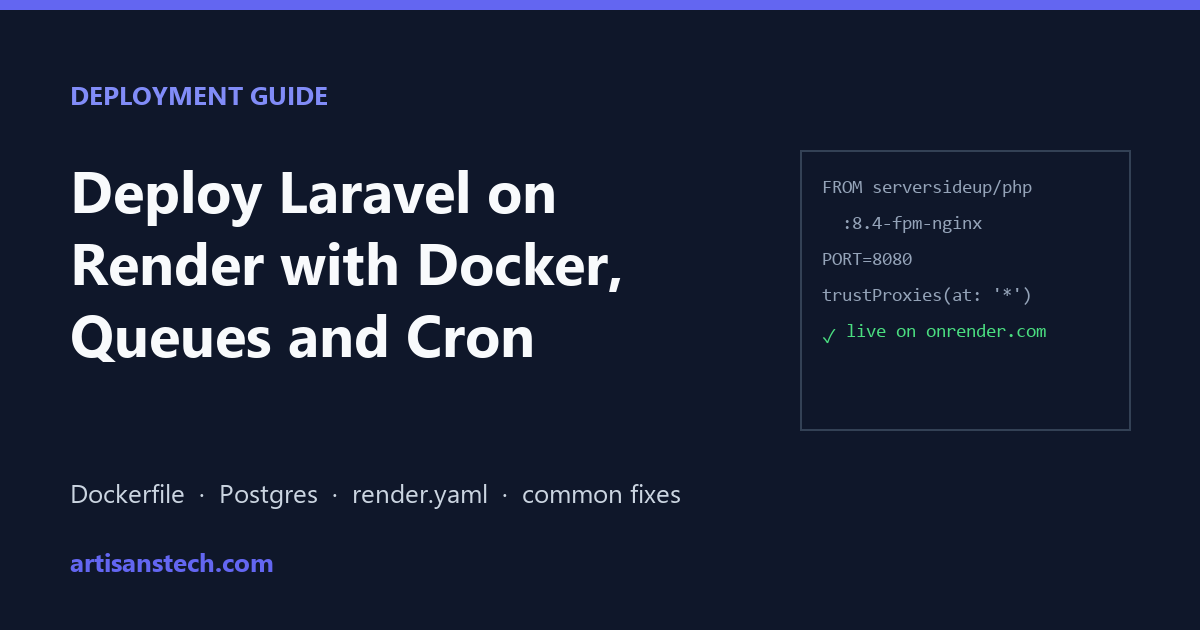
Render is a popular platform for Node and Python apps, and you can deploy Laravel on Render too. But there’s a catch most tutorials skip: Render has no native PHP runtime, so every Laravel app runs from a Docker image (Render language support).
This guide walks through a production-style setup: a web service, Render Postgres, a queue worker, the scheduler, and a render.yaml blueprint that creates all of it in one click. It also covers the problems developers most often report when they deploy Laravel on Render, and how to fix each one.
Not sure Render is the right host? Compare it first in Laravel Cloud vs Forge vs Render.
What You Need Before You Deploy Laravel on Render
- A Laravel app in a GitHub, GitLab or Bitbucket repository (this guide uses Laravel 12/13 conventions)
- A Render account
- Your app working locally with PostgreSQL, because Render offers managed Postgres but no managed MySQL
Here’s what the finished setup looks like:
| Render service | Runs | Plan needed |
|---|---|---|
| Web service | Nginx + PHP-FPM serving your app | Free works for demos; Starter ($7/mo) for real use |
| Postgres | Your database | Free expires after 30 days; paid plans for production |
| Key Value (optional) | Redis-compatible cache, sessions, queues | Free (in-memory, no persistence) or paid |
| Background worker | php artisan queue:work | Starter or above; there’s no free worker |
| Cron job | php artisan schedule:run every minute | Billed per run time |
Step 1: Add a Dockerfile
Every way to deploy Laravel on Render starts with a Docker image. The simplest base image is serversideup/php. It bundles Nginx and PHP-FPM, is tuned for Laravel, runs as an unprivileged user, and listens on port 8080.
Create Dockerfile in your project root:
# --- Stage 1: build frontend assets ---
FROM node:22-alpine AS assets
WORKDIR /app
COPY package*.json ./
RUN npm ci
COPY . .
RUN npm run build

# --- Stage 2: the PHP app ---
FROM serversideup/php:8.4-fpm-nginx

ENV PHP_OPCACHE_ENABLE=1

WORKDIR /var/www/html

COPY --chown=www-data:www-data . .
COPY --chown=www-data:www-data --from=assets /app/public/build ./public/build

RUN composer install --no-dev --optimize-autoloader --no-interaction
If your app doesn’t use Vite, delete the first stage and the second COPY line.
Add a .dockerignore so local files don’t end up in the image:
.git
.env
node_modules
vendor
storage/logs/*
tests
Leaving .env out matters: on Render, configuration comes from environment variables, not a file baked into the image.
Step 2: Trust Render’s Proxy (Fixes Mixed-Content Errors)
This is the most common problem after a first Laravel Render deployment. Render terminates HTTPS at its edge and forwards plain HTTP to your container. Laravel sees HTTP, so asset(), route() and Vite generate http:// URLs, and the browser blocks them as mixed content: the page loads with no CSS or JavaScript. Render’s own Laravel guide calls this out.
The clean fix is to trust the proxy’s forwarded headers, so Laravel knows the original request was HTTPS. In bootstrap/app.php:
->withMiddleware(function (Middleware $middleware) {
    $middleware->trustProxies(at: '*');
})
Trusting all proxies is safe here because traffic can only reach your service through Render’s proxy. If you still see http:// URLs, add this to AppServiceProvider::boot() as a fallback:
use Illuminate\Support\Facades\URL;

public function boot(): void
{
    if ($this->app->environment('production')) {
        URL::forceScheme('https');
    }
}
Step 3: Send Logs to Render’s Log Viewer
Inside a container, storage/logs/laravel.log is invisible and gets wiped on every deploy. Log to stderr instead so errors show up in the Render dashboard:
LOG_CHANNEL=stderrYou’ll set this with the other environment variables in Step 5. When something breaks, this is the first place to look.
Step 4: Create the Database
In the Render dashboard, choose New → Postgres, pick the same region you’ll use for the app, and create it. Copy the Internal Database URL (internal traffic stays on Render’s private network and is faster).
Laravel 11 and newer read a full connection string from DB_URL, so you only need two variables:
DB_CONNECTION=pgsql
DB_URL=postgresql://user:password@host/dbname   # the Internal Database URL
Free Postgres expires 30 days after creation, with a 14-day grace period before deletion (Render free tier docs). Use it for a demo, but move to a paid database before anything real depends on it.
Step 5: Create the Web Service
With the database ready, you can deploy Laravel on Render as a web service.
- New → Web Service, connect your repository.
- Runtime: Docker. Render detects the
Dockerfile. - Region: the same as your database.
- Health check path:
/up(Laravel 11+ ships this route by default). - Add the environment variables:
APP_NAME="My App"
APP_ENV=production
APP_DEBUG=false
APP_KEY=base64:...        # run: php artisan key:generate --show
APP_URL=https://your-app.onrender.com
PORT=8080
LOG_CHANNEL=stderr
DB_CONNECTION=pgsql
DB_URL=postgresql://...
SESSION_DRIVER=database
CACHE_STORE=database
QUEUE_CONNECTION=database
Two of these prevent common failures:
PORT=8080tells Render which port your container listens on. If Render routes traffic to a port nothing is listening on, the deploy fails its health check or returns 502 errors.SESSION_DRIVER=database(or redis) instead offile. Files are lost on every deploy, which logs everyone out, and they aren’t shared if you ever run more than one instance.
Step 6: Run Migrations on Every Deploy
On paid instance types, set a Pre-Deploy Command in the service settings:
php artisan migrate --forceIt runs after the build and before the new version takes traffic. If a migration fails, the deploy stops and the old version keeps running, which is exactly what you want.
On the free plan there’s no pre-deploy command. Use the image’s Laravel automations instead by adding this environment variable to the web service only:
AUTORUN_ENABLED=trueOn every container start it runs migrations, storage:link and Laravel’s optimize/caching step. Don’t set it on the worker, or migrations will run twice per deploy.
Step 7: Add a Queue Worker
When you deploy Laravel on Render, the web service only answers HTTP requests. Jobs dispatched by your app need a separate process. Create New → Background Worker from the same repository, with the Docker runtime and this Docker Command:
php /var/www/html/artisan queue:work --tries=3 --max-time=3600Give it the same environment variables as the web service (the easiest way is an Environment Group shared by both). Background workers have no free tier, so this is the first paid service most Laravel apps need on Render.
--max-time=3600 makes the worker exit and restart every hour, which keeps memory usage from creeping up in long-running PHP processes. Render restarts it automatically.
Step 8: Run the Laravel Scheduler
You have two options:
- Cron Job service running
php /var/www/html/artisan schedule:runon the schedule* * * * *. You pay only for the seconds it runs. - Run
schedule:workin your worker as a second process. It’s cheaper, but you’re responsible for keeping both processes alive in one container.
For most apps, a separate Cron Job service is simpler and easier to debug.
Step 9: Deploy Everything with render.yaml (Optional but Recommended)
Instead of clicking through the dashboard every time you deploy Laravel on Render, you can describe the whole stack in a render.yaml Blueprint at the root of your repo. Render creates every service from it:
databases:
  - name: laravel-db
    region: frankfurt      # no plan set = Render's default paid Postgres plan

services:
  - type: web
    name: laravel-web
    runtime: docker
    plan: starter
    region: frankfurt
    healthCheckPath: /up
    preDeployCommand: php artisan migrate --force
    envVars:
      - fromGroup: laravel-env
      - key: DB_URL
        fromDatabase:
          name: laravel-db
          property: connectionString

  - type: worker
    name: laravel-queue
    runtime: docker
    plan: starter
    region: frankfurt
    dockerCommand: php /var/www/html/artisan queue:work --tries=3 --max-time=3600
    envVars:
      - fromGroup: laravel-env
      - key: DB_URL
        fromDatabase:
          name: laravel-db
          property: connectionString

  - type: cron
    name: laravel-scheduler
    runtime: docker
    schedule: "* * * * *"
    region: frankfurt
    dockerCommand: php /var/www/html/artisan schedule:run
    envVars:
      - fromGroup: laravel-env
      - key: DB_URL
        fromDatabase:
          name: laravel-db
          property: connectionString

envVarGroups:
  - name: laravel-env
    envVars:
      - key: APP_ENV
        value: production
      - key: APP_DEBUG
        value: "false"
      - key: PORT
        value: "8080"
      - key: LOG_CHANNEL
        value: stderr
      - key: DB_CONNECTION
        value: pgsql
      - key: SESSION_DRIVER
        value: database
      - key: CACHE_STORE
        value: database
      - key: QUEUE_CONNECTION
        value: database
Commit it, then choose New → Blueprint in Render and select the repository. After the services are created, open the laravel-env environment group in the dashboard and add APP_KEY (the output of php artisan key:generate --show). Render doesn’t let a blueprint prompt for secret values inside an environment group, so this one is added by hand. Check plan names and prices on the Render pricing page before you apply, because Render reworked its plans in 2026.
Common Laravel Render Deployment Errors (and Fixes)
These are the issues developers report most often in Render, Laracasts and Stack Overflow threads about deploying Laravel on Render.
The page loads with no CSS or JavaScript
Mixed content. The browser console shows “Mixed Content: The page was loaded over HTTPS, but requested an insecure stylesheet”. Apply the proxy fix from Step 2, and make sure APP_URL starts with https://.
Deploy fails with “no open ports detected” or a 502
Your container isn’t listening where Render expects. With the serversideup image, set PORT=8080. With a custom Nginx config, make sure it listens on 0.0.0.0 (not 127.0.0.1) and on the port in PORT.
Uploaded files disappear after a deploy
Render’s filesystem is ephemeral: anything written outside a persistent disk is lost on every deploy or restart (Render disks docs). You can attach a persistent disk to a paid service, but a service with a disk can’t scale to multiple instances and loses zero-downtime deploys. For user uploads, use an S3-compatible bucket (AWS S3, Cloudflare R2 or similar) with Laravel’s s3 filesystem driver instead.
“Permission denied” writing to storage
A classic Laravel deployment error, often from file_put_contents(.../storage/framework/views/...). It happens when files are owned by a different user than the one PHP runs as. The --chown=www-data:www-data flags in the Dockerfile above prevent it; if you use another base image, chown the storage and bootstrap/cache directories to the PHP user in your Dockerfile.
Everyone gets logged out after each deploy
Sessions are stored in files, which are wiped on deploy. Switch to SESSION_DRIVER=database (run php artisan make:session-table if the table doesn’t exist) or Redis.
The first request takes ages on the free plan
Free web services spin down after 15 minutes without traffic, and the next request waits for the container to start. That’s expected on the free tier; a paid instance stays running.
Jobs are dispatched but never run
There’s no worker, or the worker uses different environment variables from the web service (for example a different QUEUE_CONNECTION or database). Share one Environment Group between the web service and the worker, as in the blueprint above.
How Much Does It Cost to Deploy Laravel on Render?
A minimal production setup is one Starter web service ($7/month), one Starter worker ($7/month), a small paid Postgres database (Basic plans start around $6/month plus storage) and a few cents of cron run time. That’s roughly $20–30 a month, before bandwidth beyond your workspace allowance.
For comparison, a single low-traffic app is often cheaper on Laravel Cloud (scale-to-zero) and a group of apps is often cheaper on one Forge-managed VPS. The full breakdown is in Laravel Cloud vs Forge vs Render. If you prefer a classic server, see our Laravel Forge deployment guide.
Checklist Before You Deploy Laravel on Render
- [ ] Dockerfile builds locally with
docker build . - [ ]
.dockerignoreexcludes.env,vendorandnode_modules - [ ]
trustProxies(at: '*')added inbootstrap/app.php - [ ]
APP_URLuseshttps://,APP_DEBUG=false - [ ]
PORT=8080,LOG_CHANNEL=stderr - [ ] Sessions, cache and queue use database or Redis, not files
- [ ] Migrations run in a pre-deploy command
- [ ] Queue worker and scheduler share the web service’s environment
- [ ] User uploads go to S3-compatible storage, not the local disk
- [ ] Database is on a paid plan before launch
FAQ
Can I deploy Laravel on Render for free?
You can run a demo: the free web service and free Postgres work, but the service sleeps after 15 minutes idle, the database expires after 30 days, and there’s no free background worker for queues.
Does Render support MySQL for Laravel?
Render doesn’t offer managed MySQL. Use Render Postgres (Laravel supports it fully), or connect to an external MySQL provider using DB_URL.
Why does my Laravel app show http links on Render?
Because Render handles HTTPS at its proxy and forwards HTTP to your container. Trust the proxy with trustProxies(at: '*') so Laravel generates https:// URLs.
Do I need Docker to deploy Laravel on Render?
Yes, every time you deploy Laravel on Render you need a Docker image. Render has no native PHP runtime, so Laravel always runs from a container.
Is Render or Laravel Cloud better for Laravel?
Laravel Cloud runs PHP natively and manages queues and the scheduler for you, so it needs less setup. Render makes sense when your other services are already there. See the full comparison.