Most business owners waste 15–20 hours every week on tasks that follow the exact same pattern every single time.
Same message. Different name. Same report. Different week.
That’s not work — that’s repetition. And in 2026, repetition is something AI handles better than any employee, at any hour, for almost nothing.
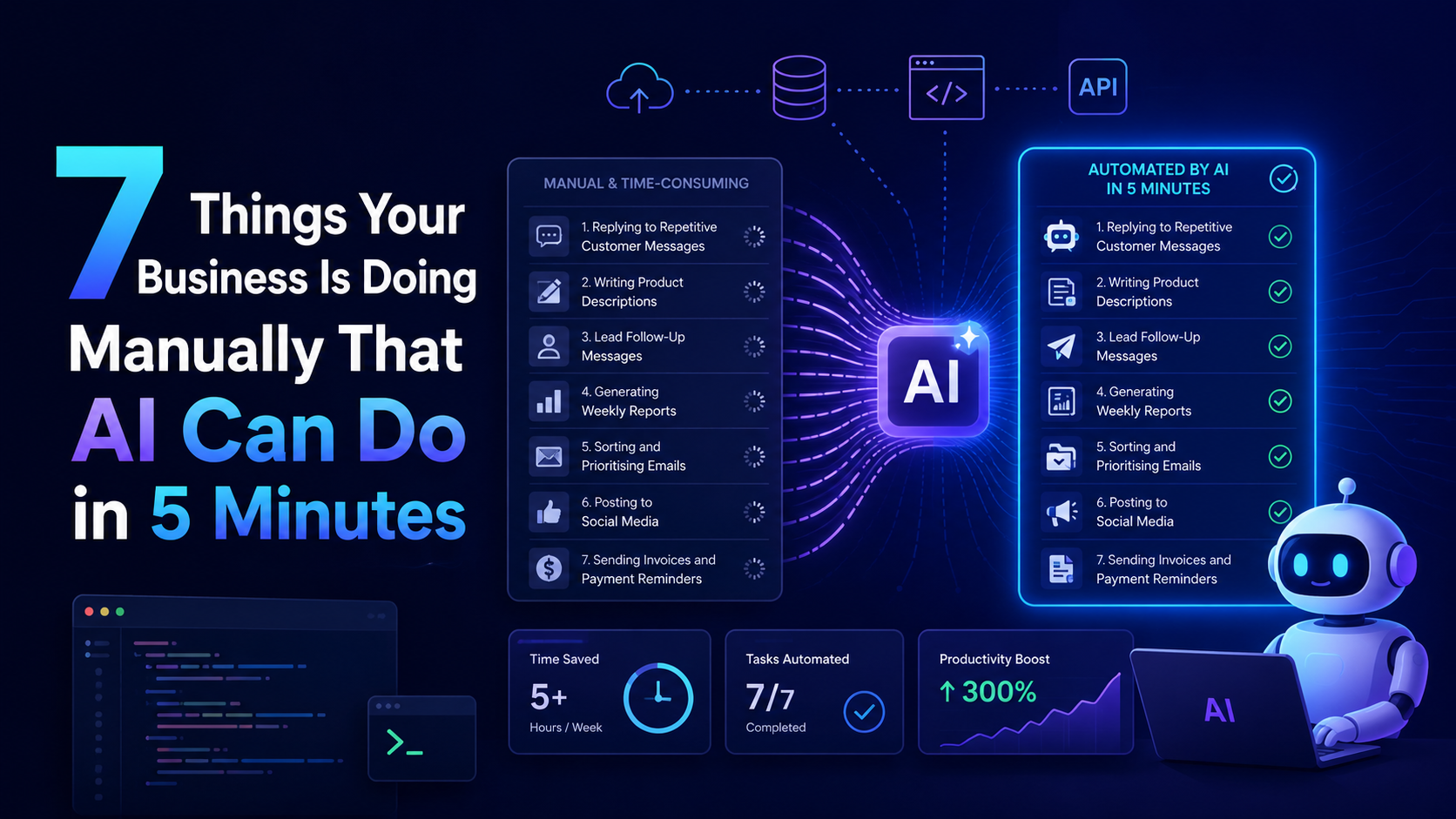
Here are 7 things you’re probably still doing manually — and exactly what to do instead.
Table of Contents
1. Replying to Repetitive Customer Messages
Time wasted manually: 1–2 hours/day
“What are your charges?” “Do you deliver to X?” “What’s the refund policy?”
Same 10–15 questions. Every single day. This is one of the most common business tasks AI can automate — and one of the easiest to set up.
An AI chatbot or WhatsApp automation handles replies in seconds, at 2am, on Sunday, during holidays — without you touching anything.
How to set it up:
- Use Wati or Tidio for WhatsApp and website chat
- Connect ChatGPT API + Make for context-aware replies
- Setup time: 45–60 minutes once
Real number: A D2C brand handling 80+ daily WhatsApp enquiries automated their top 12 FAQs and saved 11 hours a week in support time.
2. Writing Product Descriptions
Time wasted manually: 3–4 hours per batch
Writing 50 product descriptions manually is a full day’s work. Tedious, draining, and completely repeatable — which means it belongs on the list of business tasks AI can automate without a second thought.
AI does the same job in under 30 minutes with SEO keywords, consistent tone, and zero complaints.
How to set it up:
- ChatGPT or Claude with a structured prompt: product name + specs + target audience + tone
- For bulk: connect Google Sheet to Make → AI generates description → output lands back in the sheet
- Setup time: 20 minutes for single use, 1 hour for bulk flow
Pro tip: Add to your prompt — “Do not mention competitor brands or make unverifiable claims” — and you’ll almost never need to edit the output.
3. Lead Follow-Up Messages
Time wasted manually: 1–1.5 hours/day + leads lost to slow response
A lead comes in. You’re busy. You follow up 6 hours later. They’ve already moved on.
Responding within 5 minutes vs 30 minutes increases conversion by over 400%. This is one of the highest-value business tasks AI can automate — because the ROI shows up immediately.
AI responds in under 60 seconds, every time, with a personalised message.
How to set it up:
- Make or Zapier triggers on new form submission or Instagram DM
- Pulls name and enquiry details → sends personalised WhatsApp or email instantly
- Add a 24-hour follow-up if no reply — automate that too
- Tools: Wati (WhatsApp), Gmail (email)
- Setup time: 1–2 hours end to end
4. Generating Weekly Reports
Time wasted manually: 1.5–2 hours every week
Opening 4 tabs. Copying numbers. Pasting into a doc. Formatting it. Sending it.
That’s 6–8 hours a month just to answer: how did we do this week?
Weekly reporting is one of those business tasks AI can automate end to end — data pulled, summarised in plain English, delivered to your inbox or WhatsApp automatically.
How to set it up:
- Connect Shopify, Google Sheets, or your CRM to Make
- Weekly trigger → AI summarises numbers → sends via email or WhatsApp
- Output example: “47 new leads this week, up 12%. Best product: X. 3 support tickets unresolved.”
- Tools: Make + OpenAI API + Gmail
- Setup time: 2–3 hours
5. Sorting and Prioritising Emails
Time wasted manually: 30–45 minutes/day
Scanning your inbox every morning burns nearly 4 hours a week — most of it reading things that didn’t need reading at all.
Email triage is a perfect example of business tasks AI can automate with almost no setup complexity. AI reads every email, categorises it, and sends you one daily digest with only what matters.
How to set it up:
- Gmail + Make + Claude API
- Each email gets classified: urgent / FYI / no action
- Urgent ones get labelled and summarised in one sentence
- Tools: Make, Claude or OpenAI API, Gmail
- Setup time: 1.5–2 hours
Most useful version: One WhatsApp message every morning — “3 urgent emails today. Here’s what they’re about.” Everything else waits until you’re ready.
6. Posting to Social Media
Time wasted manually: 20–30 minutes/day = 3+ hours/week
Creating content is creative work. Copying it into Instagram, LinkedIn, and Twitter one by one is just clicking — and clicking is exactly the kind of business task AI can automate completely.
Write or approve your content once. The rest happens automatically.
How to set it up:
- Notion or Google Sheets as your content calendar
- Make monitors for “approved” entries → auto-posts to each platform at scheduled time
- For simpler scheduling: Buffer or Publer
- For AI-generated captions from a raw idea: Make + ChatGPT
- Setup time: 1–2 hours
Important: Always keep an “approved” checkbox before the automation fires. One accidental draft going live will make you glad you built that gate.
7. Sending Invoices and Payment Reminders
Time wasted manually: 2–3 hours/week + delayed payments
Most people delay chasing invoices because it feels awkward. That discomfort directly hurts cash flow — and it’s completely unnecessary.
Invoice follow-up is one of the most impactful business tasks AI can automate because the outcome is measurable in days.
AI sends on time, every time — politely and professionally — without the awkwardness.
How to set it up:
- Make or Zapier connected to Zoho Invoice, QuickBooks, or Google Sheets
- Flow: project complete → invoice sent → reminder at 7 days → second reminder at 14 days → escalation flag at 21 days
- Setup time: 1.5–2 hours
- Result: businesses using automated reminders get paid an average of 8 days faster
Total Time You Get Back
| Task | Hours Saved/Week |
|---|---|
| Customer message replies | 7–14 hrs |
| Product descriptions | 3–4 hrs/batch |
| Lead follow-ups | 7–10 hrs |
| Weekly reports | 1.5–2 hrs |
| Email sorting | 3–4 hrs |
| Social media posting | 3+ hrs |
| Invoice reminders | 2–3 hrs |
| Total | 27–40 hrs/week |
Start With One
Don’t try to automate everything this week.
Pick one task from this list — the one that wastes the most of your time — and build that automation first. Lead follow-up is the best starting point because results show up fast.
Get that working. Then move to the next.
These are business tasks AI can automate today — not someday, not after a big tech investment. Today.
FAQ
Do I need coding skills?
No. Make, Zapier, and Wati are fully visual — drag, drop, connect.
How much does this cost?
Most tools have free tiers. A full working stack costs ₹0–₹2,000/month for most small businesses.
What if the AI makes a mistake?
Add a human review step for anything customer-facing. For internal tasks, run it fully automated.
Which automation saves the most time immediately?
Lead follow-up. The conversion impact is visible within days, not weeks.